
TuneBoss: Turn an Old iPhone into an Always-On Spotify Display
I built TuneBoss because I wanted a dedicated screen showing what’s playing on Spotify — something I could mount under my monitor and forget about. No app switching, no phone unlocking, just a permanent glanceable display with album art and visuals that react to the music.
It’s open source, self-hosted, and runs on a Raspberry Pi, NAS, Proxmox, home server or anywhere you run docker containers.
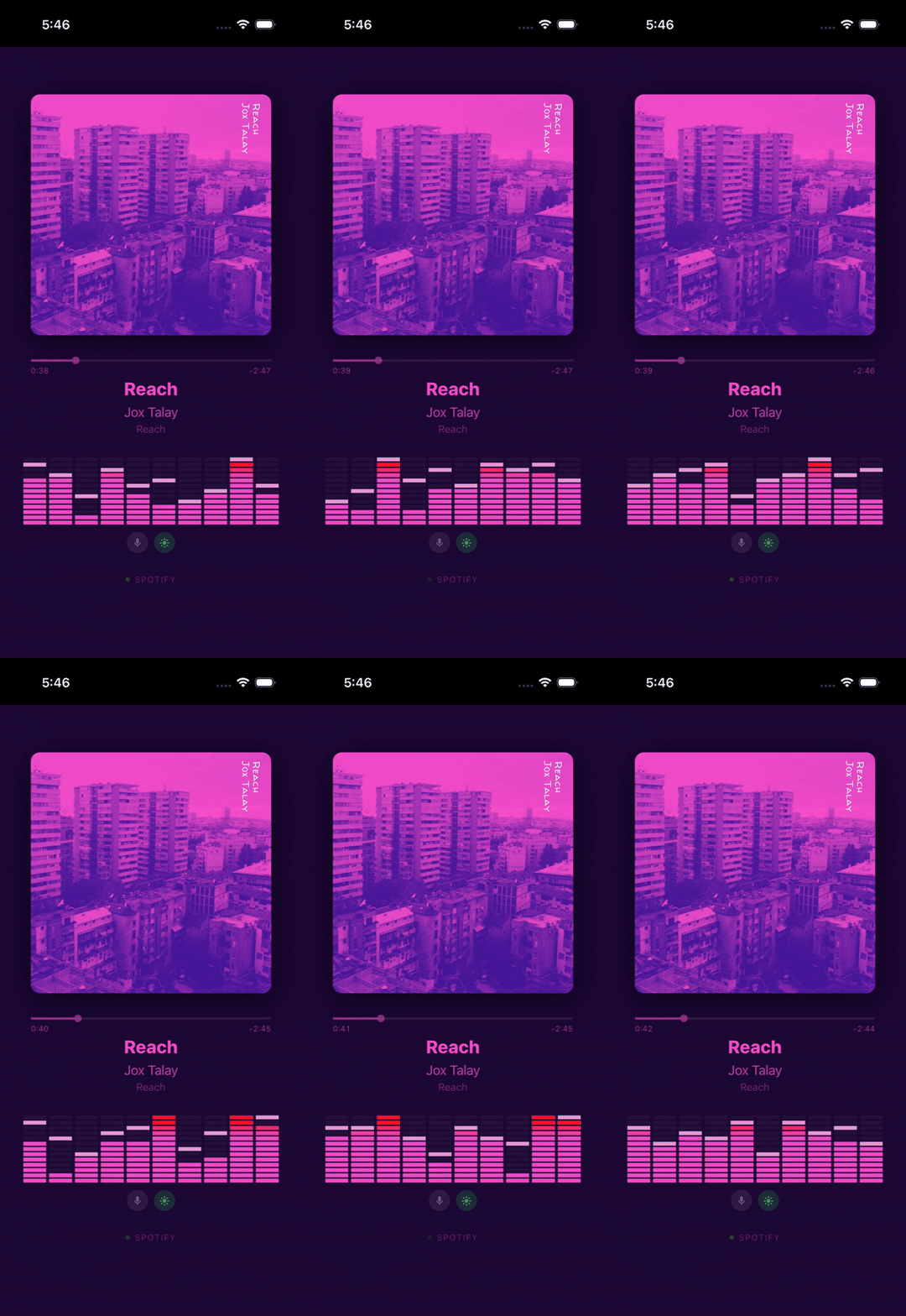
What It Does
TuneBoss polls the Spotify API from a lightweight Node.js backend and pushes track updates over WebSocket to a Vue 3 Progressive Web App. The display shows:
- Album art with colors extracted from the cover — background, text, and visualizer bars all adapt to every track
- A 10-band spectrum analyzer running at 60 fps, with procedurally generated visuals unique to each song
- Track progress interpolated smoothly between server polls
- Optional microphone mode that captures real ambient audio for actual FFT-based spectrum data
The whole thing runs fullscreen in portrait mode on the iPhone, with the screen wake lock keeping it on indefinitely. Install it as a PWA from Safari and it behaves like a native app — no browser chrome, no accidental navigation.
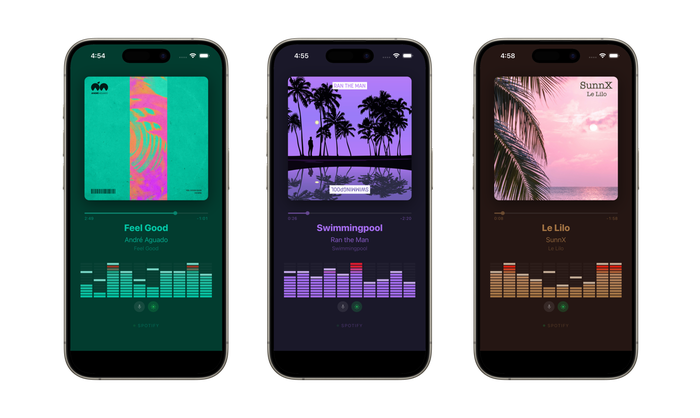
Why Not Just Use Spotify’s App?
Because Spotify’s app wants to be the thing you’re interacting with. I wanted a display that sits there passively — a piece of ambient information, not another app demanding attention. TuneBoss is a single-purpose appliance: the iPhone becomes a music screen and nothing else.
Architecture
iPhone (Safari PWA)  ◄──── WebSocket ────►  Node.js Backend
                                                  │
                                            Spotify Web API
                                          (poll every 3 seconds)
The backend handles all OAuth credentials and API communication. The iPhone is completely stateless — it just renders whatever the server sends. No Spotify tokens ever touch the client.
Polling is client-gated: the server only hits the Spotify API while someone is actually watching. Close the display and it stops polling immediately.
The Spectrum Analyzer
Spotify deprecated their audio analysis endpoint in late 2024, so TuneBoss generates its own visuals. Each track ID is hashed to seed a deterministic random number generator that produces a unique BPM, oscillator shapes, and per-band wave patterns. The same song always produces the same visualization.
For something closer to reality, there’s an optional microphone mode. It captures ambient audio through the Web Audio API, maps FFT data to 10 logarithmic frequency bands, and crossfades smoothly between the procedural and real-time spectrum when music is detected.
Running It
TuneBoss is Docker-ready. Set your Spotify API credentials, run the container, and open the URL on your phone:
docker compose up -d
It also runs bare-metal with Node.js, or behind Caddy for automatic HTTPS on a homelab. Full setup instructions are in the repo.
On the iPhone side: open the URL in Safari, tap Share → Add to Home Screen, and you’re done. For a truly locked-down display, enable Guided Access in iOS accessibility settings.
Building with AI
Tuneboss was built almost entirely by Claude Code. I prompted it and steered it when it got stuck on a few bugs - particularly on acquiring the iOS wake lock to keep the screen alive. But otherwise, Claude gets the credit for the software engineering.
Get It
TuneBoss is MIT licensed and available on GitHub:
Contributions and feedback are welcome — open an issue if you have ideas or run into problems.